Troubleshooting
-
Basic connectivity
The following steps can be used for troubleshooting basic connectivity issues with your switch.
-
Cloud connectivity
ReadyLinks devices can run tests to determine the uplink status.
Verify device configurations via CLI
- Run command 'show vlan interface' to verify management IP address information
- Run command 'show dns' to verify DNS information
- Run command 'show sntp' to verify SNTP (time) settings
Note: If you have configured a static management IP address, you must also set the DNS nameservers manually on the device (dns nameserver1 8.8.8.8 nameserver2 8.8.4.4).
Check ReadyView connection status via CLI
- Run command 'show readyview connection all'
-
Slow speeds
A ReadyLink connection is capable of delivering Gigabit speeds over twisted pair or coax. To acheive maximum througput, it is important to follow some best practices.
Best practices
- Good cable terminations
- Stable power source
- Cable continuity
Refer to the twisted pair or coax cabling instructions for details on how to terminate different ReadyLink connections.
It is important to note the distance limitations for acheiving 1Gbps throughput. Speed will vary by cable type, length, and gauge, but some general guidelines for 1Gbps connections are shown below.
Througput vs Distance
- Single pair (SISO): 1Gpbs up to 400ft
- Two pair (MIMO): 1Gpbs up to 1,000ft
- Coax: 1Gpbs up to 1,400ft
- *Note speeds will vary by cable type and gauge
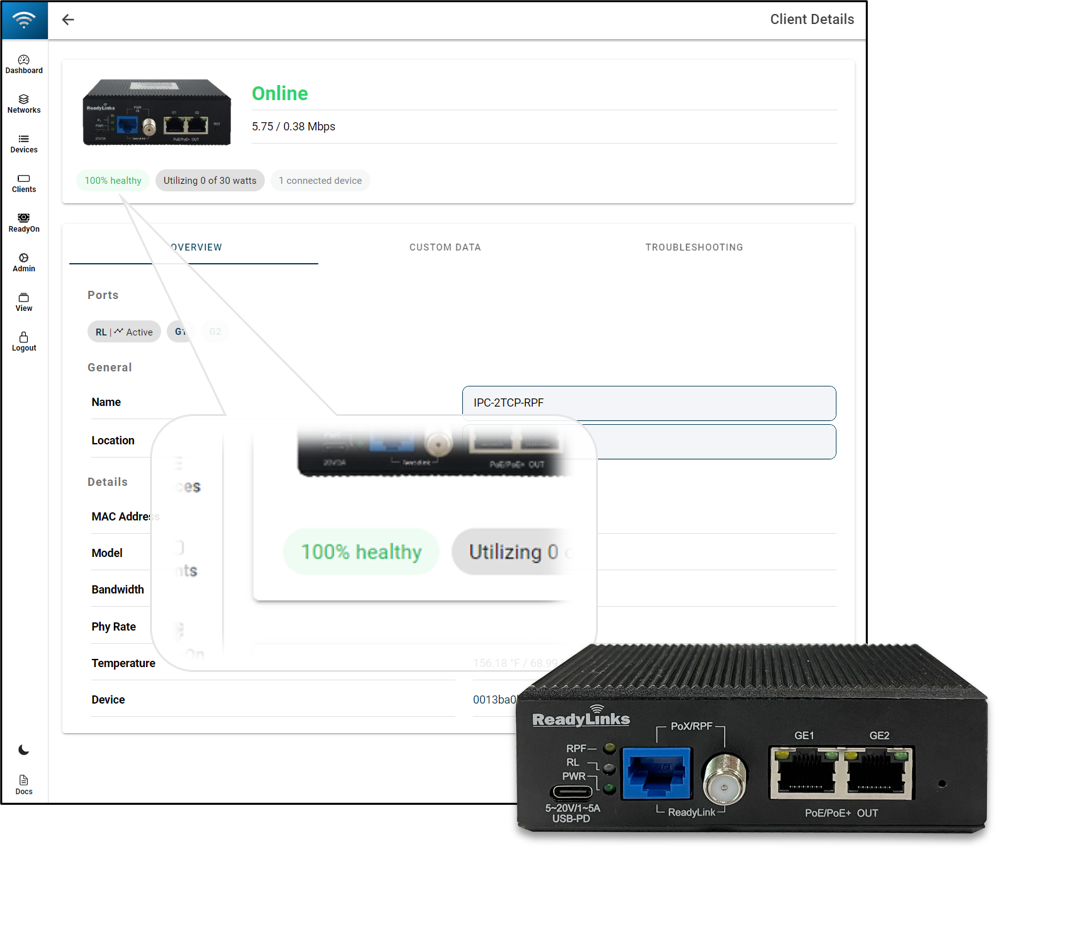
Check your connection health in the ReadyView dashboard. A low health score can indicate a poor connection, resulting in reduced throughput.
-
Reverse power
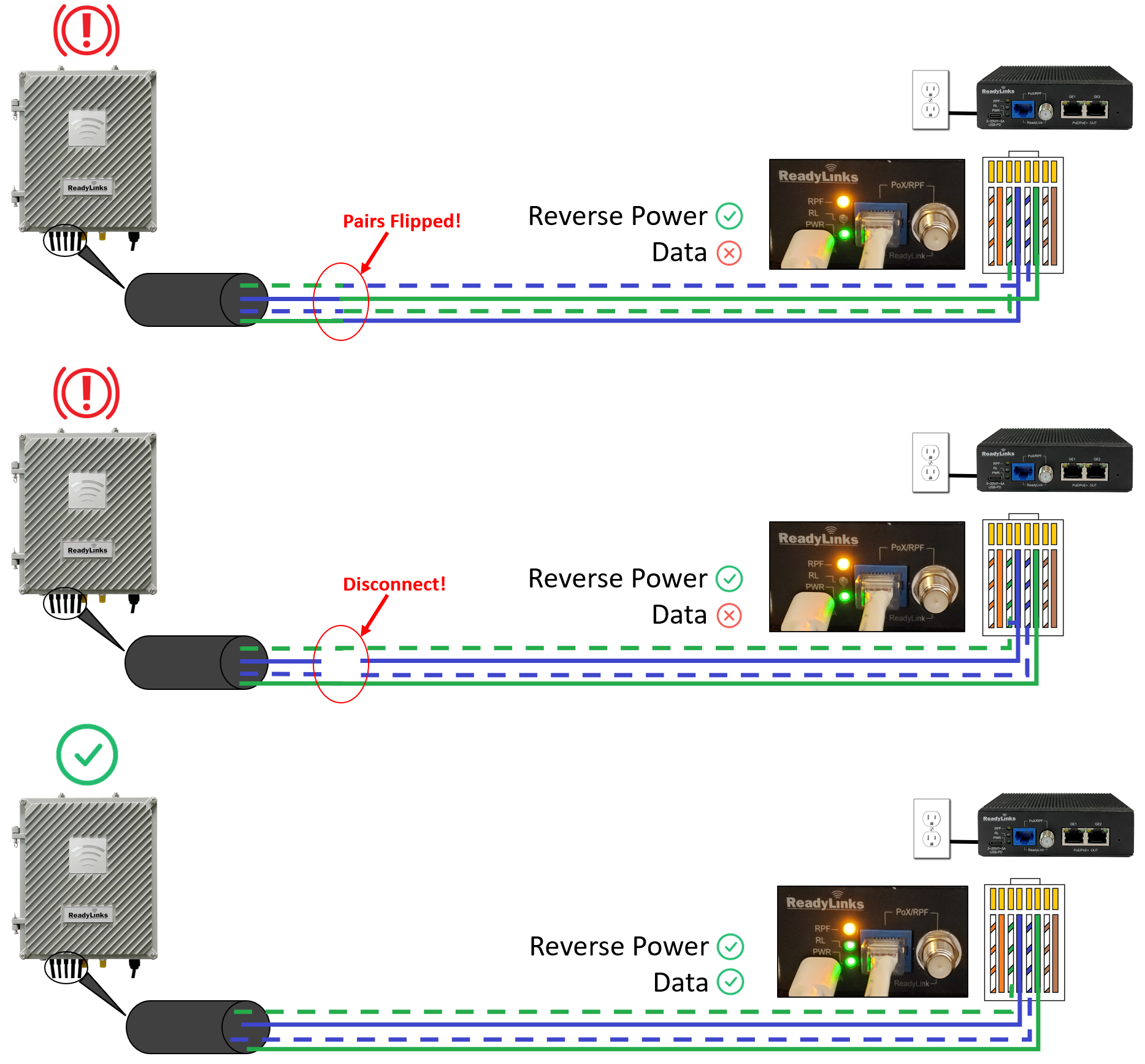
Be sure to match the center pair (pins 4 & 5) of the IPC with the correct corresponding pair on the RPF enabled switch. A mismatch in the connection may still enable the reverse power feed but the data link will remain down. Also, ensure there are no disconnects on the center pair. A stable link on the outer pair, but a disconnect on the center pair will cause the data link to fluctuate or disconnect while the RPF links stays up.